Folder Marker Pro
Version: 4.9.1
File Size: 36.8 Mb
Price: $34.95
No Malware or Spyware!
x32 or x64 editions
Folder Marker Home Giveaway ($24.95 value)
Assign colors and icons to Windows folders for easy at-a-glance identification.
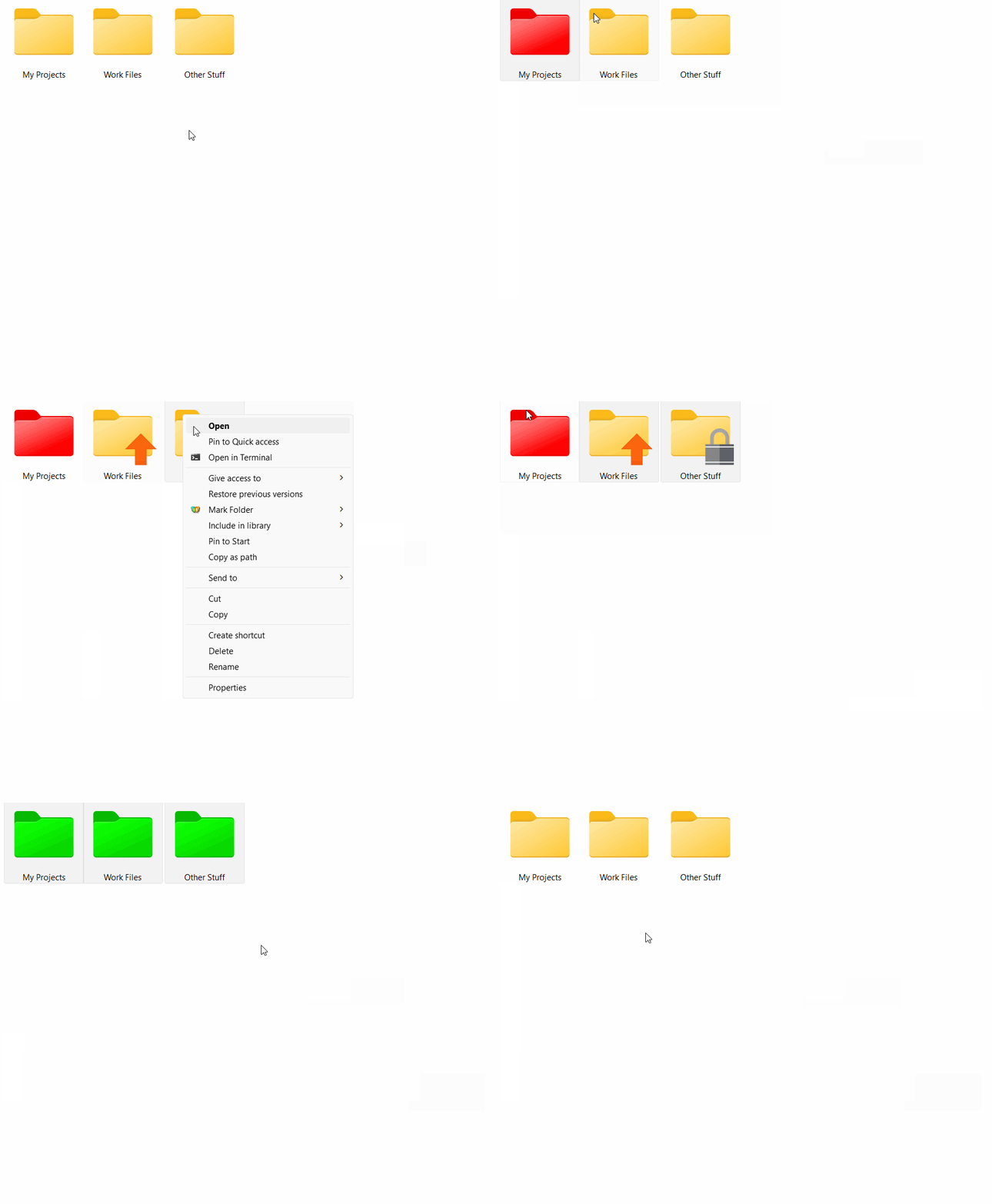
Folder Marker Home lets you mark your folders with color-coded and image-coded icons with one mouse click, which makes them easy to find and retrieve. Simply select the folder you want to mark, right-click on its icon, select a color-coded icon from the drop-down menu and it will be assigned to the folder at once.
How it works
All you have to do to mark a folder is to right-click on the folder and select the desired icon from the 'Mark Folder' menu:
Get Folder Marker Home for free for a limited time
To get registration key for Folder Marker Home, you need to sign-up to our newsletter and agree with the terms of this giveaway using the form below.
From there you'll receive a confirmation e-mail with your registration code and a download link. You must use both to take advantage of this giveaway.
Key features:
- For HOME use only!
- Folder Marker Home can modify the 'Mark Folder' menu. You can have your own menu with your own icons, specially made for your personal needs. It is VERY convenient.
- Folder Marker Home has two additional options for folder icon changes: "Make customized folder distributable" (portable) and "Apply selected icon to all subfolders"
- Folder Marker Home can change a folder's color. For this purpose you have 36 icons of normal, dark and light colors.
- Folder Marker Home can mark folders by priority (high, normal, low), by degree of work complete (done, half-done, planned), by work status (approved, rejected, pending) and by the type of information contained in a folder (work files, important files, temp files, private files).
- Folder Marker Home changes folder icons within a popup menu of the folders. To mark a folder, you don't even need to run the program! Moreover, the popup menu contains convenient category submenus.
- Folder Marker Home contains a User Icons tab where you can add an unlimited quantity of your favorite icons and mark folders with them. It's easy!
- Folder Marker Home can work with several folders at once and supports 32-bits icons.